

What Is A VoIP Number & Do You Need One?
What is a VoIP number? VoIP, or Voice over Internet Protocol, offers advanced business phone features for organizations looking to upgrade their phone systems. A VoIP number allows you to make and receive calls without physical lines. Instead of relying on copper wires, VoIP numbers use the internet to make phone calls, send text messages, and access powerful calling features.
Businesses of all sizes can benefit from VoIP numbers, but does your organization need one? In this guide, we’ll cover everything you need to know, from how VoIP numbers work to what types are available so you can decide if a VoIP number is right for you.
What Is a VoIP Number?
A VoIP number is a virtual phone number that lets you make and receive phone calls over the internet. There’s no need for traditional phone lines or expensive equipment, and you can access your business phone number on any internet-capable device. To callers, it works just like a regular phone number, but behind the scenes, the call is transmitted as digital data through a VoIP service provider.
VoIP numbers aren’t tied to a single phone or location, which means you can use the same number on desk phones, smartphones, tablets, and computers. VoIP numbers are ideal for businesses that need flexibility paired with advanced calling features like auto-attendants, call routing, call forwarding, and more.
How VoIP Numbers Work
VoIP numbers work by converting your voice into digital data packets and sending them over the internet, all in the blink of an eye. Because they aren’t tied to one location, you can log into any device to make and receive phone calls.
Here’s a quick look at how it works:
- Someone dials your VoIP number. To the caller, it looks like a normal phone number.
- The call is routed through a VoIP provider rather than through a physical phone network.
- The call reaches your device. A VoIP number can ring on a desk phone, a smartphone app, or a computer, depending on where you are logged in. It can ring on multiple devices at once, letting you answer any one.
- When you speak, your voice is converted into small digital packets. The data is compressed to travel quickly over the internet. This happens in real time, with almost no delay.
- The data packets travel over your internet connection, similar to how emails or video calls are transmitted.
- The person on the other end hears your voice after the data is converted back into audio on their end.
Benefits of VoIP Numbers
Tons of businesses today are switching from traditional phone service to VoIP. But what’s the big deal? VoIP numbers offer powerful features that help businesses thrive. Here are some of the benefits of VoIP numbers:
- Lower costs: VoIP numbers use the internet instead of traditional phone lines. You can drop your expensive phone bill, pay lower monthly fees, and save on both long-distance and international calling costs.
- Work from anywhere: All you need to use your VoIP number is an internet connection. This gives you the flexibility to communicate with your team, even when working from different locations.
- Use on multiple devices: A single VoIP number can ring on your desk phone, smartphone, or computer, so you never miss a call, even when you’re out of the office.
- Easy to scale: With traditional phone numbers, adding more lines or extensions is time-consuming and expensive. VoIP numbers scale up easily, without any need for new hardware or complex installations as your business grows.
- Advanced calling features: Most VoIP numbers include powerful features like call forwarding, call routing, auto-attendants, call recording, and more without any added cost.
- Professional business presence: VoIP numbers allow you to use local, toll-free, or vanity numbers, helping your business look more established and trustworthy, regardless of where you’re actually located.
- Simple setup: VoIP systems are cloud-based, meaning setup is fast and ongoing maintenance is handled by your provider.
- Integrates with business tools: VoIP numbers often integrate with CRM systems, helpdesk software, and other business tools your company relies on, helping you improve customer service and team productivity.
Different Types of VoIP Numbers
One of the biggest advantages of VoIP numbers is the flexibility they provide. With multiple types to choose from, you can select your VoIP number based on your customer base, location, and needs.
- Local numbers: Local VoIP numbers use a specific area code tied to a city or region. They help you establish a local presence, even if you’re operating remotely. Local numbers are typically best for small businesses and local services.
- Toll-free numbers: Toll-free VoIP numbers (beginning with 800, 888, 877, etc.) allow customers to contact your business at no charge to them, even if the call is long-distance. Toll-free numbers are commonly used by sales teams, customer support lines, and businesses with a nationwide customer base.
- Vanity numbers: Vanity VoIP numbers spell out a word or brand name, such as 1-800-CONTACTS. They’re easy to remember, which makes them effective for advertising and marketing.
- International numbers: International VoIP numbers allow businesses to have phone numbers in other countries without opening a physical office there. Calls are routed over the internet to your team, and customers can call that number without getting charged international rates.
- Direct Inward Dialing (DID) numbers: DID numbers are individual VoIP numbers assigned to specific users, departments, or extensions within your business phone system. They allow callers to bypass the menu and directly reach the person they are calling.
You can use a mix of VoIP numbers to handle all your needs. Many businesses start off with one number and add more as their needs change and grow.
VoIP Number vs Landline
Now that we’ve answered, “What is a VoIP Number?”, let’s see how it compares to traditional landline phone numbers. The main difference is how calls are transmitted. VoIP numbers use the internet, while landlines use physical copper phone lines.
Here’s a quick comparison of the two types of numbers:
- Costs: Landline service is expensive. Phone bills are high, and setup often involves a large capital expenditure. VoIP numbers typically cost less per month and don’t require any large expenses up front.
- Installation: Setting up a landline phone number entails physically installing copper wiring throughout your business. With VoIP numbers, setup is fast with no technical expertise necessary.
- Mobility: VoIP numbers offer you the flexibility to make and receive calls from anywhere. All you need is an internet connection and an internet-capable device to start communicating. On the other hand, landline service ties you down to one location.
- Devices: VoIP numbers work on deskphones, computers, smartphones, tablets, and just about anything that can connect to the internet. Landline numbers only work on hard phones.
For most modern businesses, VoIP numbers are the better choice. You can save money and often keep your existing phone numbers through number porting.
VoIP Number vs Mobile
Both mobile phones and VoIP numbers provide a large degree of flexibility, so how do they compare? VoIP numbers aren’t tied to any device. You login through an app or web browser and can make calls from any device. Mobile numbers, on the other hand, are tied to a cellular carrier and a single device. You can switch devices by moving your SIM card from one phone to another, but your mobile number cannot be used on non-mobile devices.
Mobile numbers can be a great start for a small business, but they lack the advanced calling features of VoIP numbers. Plus, scaling up is difficult with mobile numbers. Adding multiple users gets expensive pretty quickly. If you have a team, you can often save more by purchasing a VoIP plan.
Top Features of VoIP Numbers
VoIP numbers offer tons of advanced features at a fraction of the cost of traditional phone systems. Here are some of the top features of VoIP numbers:
- Call forwarding: Route incoming calls to any device or phone number so you never miss an important call.
- Auto-attendant/IVR: An automated menu greets callers and routes them to the right person, depending on the caller’s input. For example, the auto-attendant might prompt, “Press 1 for billing. Press 2 for sales. Press 3 to hear your balance.”
- Voicemail-to-email: Voicemail messages are sent to your email inbox as audio files or transcriptions so you can handle missed calls from anywhere.
- Call routing: Distributes incoming callers to specific users, teams, or departments based on predefined rules.
- Call queues: When call volume is high, incoming calls are placed in a queue so that calls are answered in the order they were received.
- Integrations: Integrate business tools you rely on every day into your phone system.
- Call recording: Record calls automatically or on demand for quality assurance, compliance, and training purposes.
- Business texting: Send and receive text messages using your VoIP number.
- Call analytics and reporting: Track call volume, wait times, missed calls, and other metrics to improve customer service.
- Hard phone and softphone support: Use your VoIP number on deskphones, computers, tablets, and smartphones.
- International calling: Make international calls at lower rates than traditional phone service.
- Business hours and do-not-disturb controls: Automatically manage when calls ring, go to voicemail, or route somewhere else based on your schedule.
Are There Any Negatives of VoIP Numbers?
While VoIP numbers offer tons of advantages, there are some potential downsides. Luckily, most of them are easy to avoid or minimize with the right setup and provider:
- Call quality: Sometimes, VoIP calls experience latency, delays, and dropped calls. The best way to ensure your calls are always crystal clear is to use a reliable, high-speed internet connection. Prioritize VoIP traffic with Quality of Service (QoS) settings, and avoid heavy internet usage during peak call times.
- Power outages: Unlike traditional landlines, VoIP systems need power to work. If the power goes out, your VoIP phones may stop working. You can avoid this by using an uninterruptible power supply for routers and phones, and enabling call forwarding to mobile devices during outages. Additionally, some providers offer built-in failover options to ensure business continuity.
- Emergency calling limitations: Because VoIP numbers aren’t tied to a specific location, VoIP emergency calls may not automatically transmit your exact physical location like traditional landlines. You should choose a provider with E911 and regularly update your address with your provider to ensure you get help during an emergency.
- Security risks: Like any internet-based service, VoIP can be vulnerable to hacking and spam calls. You can avoid these by choosing a provider with encryption and security monitoring. Use strong passwords and two-factor authentication, and regularly review call logs and account activity. It’s also important to train employees on best safety practices to keep your data safe.
How to Get a VoIP Number
Ready to take advantage of everything VoIP offers? Here’s a step-by-step guide to getting a VoIP number:
- Choose a VoIP provider. Start by selecting a plan that offers the features your business needs. Look for reliable call quality, business features you need, and good customer support.
- Check your internet connection. VoIP numbers rely on high-speed internet. You may need to switch internet providers or purchase better routers to ensure high-quality calls.
- Decide what type of VoIP number you need. A local number is great for establishing trust in a community, while toll-free numbers are a good choice if you serve customers across the country.
- Choose a new number or port your existing business number. Number porting usually takes a few days to a couple of weekends, depending on your carrier.
- Select your devices. If you already have analog desk phones, you can purchase Analog Telephone Adapters (ATAs) to connect them to your VoIP service. You can also purchase VoIP phones or use computers, smartphones, or tablets.
- Set up calling features like call forwarding, auto attendants, and call queues when your VoIP number is active. Most setups take less than an hour.
- With everything configured, you’re ready to use your new VoIP number.
Finding the Right VoIP Number Provider
What is a VoIP number? It’s a virtual phone number that lets you make calls from any internet-capable device. You get access to advanced features and can save money in the process.
If you’re ready to make the switch, 1Call Technologies can help. We work with the best providers in the country, negotiating on your behalf so you get the best deal for your VoIP service. We take our time to understand what you need to optimize your business telecommunications. Contact us today to upgrade your business phone number!

How To Get A Business Phone Number: The Top Providers
Whether you’re a solopreneur or a large enterprise, you need a business phone number. In this guide, we’ll explain how to get a business phone number so you can maintain a professional image while staying organized.
With so many options available, knowing where to start can feel overwhelming. We’ll make it simple for you, walking you through everything you need to know to get a business number that works for your business and sets you up for growth.
How to Get a Business Phone Number
Here’s a quick look at how to get a business phone number:
- Consider what type of business number you need. For example, local numbers build trust with customers in a specific area, while toll-free numbers are ideal for nationwide businesses.
- Decide what kind of phone service you need. Most businesses today get their phone numbers through a VoIP (Voice over Internet Protocol) provider. VoIP works over the internet and is usually more affordable and flexible than traditional landline services.
- Select your phone number. Once you sign up, your provider will let you pick a new local, toll-free, or vanity number or port an existing number to the new service.
- Set up your system. Configure how calls are routed, such as ringing multiple employees or devices, setting business hours, creating a greeting or auto-attendant, and sending missed calls to voicemail. Most providers offer easy online dashboards for setup.
With setup complete, you’re ready to make and receive calls with your new number!
What Is A Business Phone Number?
A business phone number is a number that’s used specifically for business communications, separate from your personal phone number. It allows clients, customers, and partners to contact your company directly while helping you maintain a professional image.
Unlike a personal number, a business phone number often comes with features designed to improve your communication with customers, such as call routing, voicemail, auto-attendants, and business texting.
Benefits of Having a Business Phone Number
A business phone number does more than just make and receive calls. It offers a number of benefits that can help your business stay organized and look professional. Here are some of the key benefits of having a business phone number:
- Looks more professional: A dedicated business phone number shows potential customers that you are a legitimate business that they can trust.
- Keeps work and personal calls separate: Using a business number prevents customer calls from interrupting your personal life, especially after hours.
- Improves customer experience: Because business phone numbers usually include professional features, using one can improve the customer experience. With features like auto-attendants and call routing, customers can more easily reach the right person or department.
- Supports growth: As your business grows, you can add users, extensions, or departments without changing your main number.
- Works anywhere: With a VoIP-based business phone number, you can receive business calls anywhere you have internet access, which is perfect for remote teams and field workers alike.
- Protects privacy: You don’t need to share your personal number with customers on social media, ads, or websites. Calls and texts stay tied to the business, not an individual, and your personal number stays out of the hands of spammers and robo-callers.
- Enables call tracking: With a business phone number, you often get access to call logs, recordings, and analytics to track performance and improve customer service.
How to Know You Need A Business Phone Number
If you’re wondering whether it’s time to get a business phone number, there are a few clear signs. Many small businesses and solopreneurs reach this point sooner than they expect.
- You’re missing or losing track of calls.
- You want to look more professional.
- Your business is growing.
- You need to be able to set business hours so you can protect your time after hours and on weekends.
- You’re using your voicemail to screen calls so you know which ones are from customers.
- You want to separate work from personal life.
- You’re unsure when to answer as your business and when to answer as yourself.
- You need to route or forward business calls, but have no way to do that with your personal phone.
Business Phone Service vs Personal Cell Phone
When starting out, many business owners use their personal cell phone as their business phone. While this can work short-term, a business phone service offers clear advantages as your company grows.
Using your personal cell phone is usually best for side hustles or very early-stage businesses. There are no additional costs and no setup required. However, this method mixes personal calls and business calls. There’s no separation between the two, no way to route calls, and no way to scale as your business grows. Publishing your personal number on websites and social media can also put you at risk of receiving spam calls. In general, using your personal number simply provides a less professional appearance.
When you switch to a business phone number, however, you can easily keep track of which calls are for your business and which are for your personal number. You get access to professional features like auto-attendants and call routing so you can better manage incoming calls. When your business takes off, it’s easy to add users to your phone system.
Different Types of Business Phone Numbers
There are a number of different types of business phone numbers to choose from. The right one for your organization will depend on your customer base, where you’re located, and how you handle calls. Here are the most common types of business phone numbers:
- Local business phone numbers: Local numbers use area codes tied to a specific city or region. Choosing a local number helps you build trust with local customers. Local business numbers are ideal for local restaurants and shops and service-based businesses.
- Toll-free phone numbers: Toll-free numbers allow customers to call without being charged long-distance rates. They typically start with 800, 888, 877, 866, etc. Toll-free numbers are best for nationwide businesses or those focused on customer support.
- Vanity phone numbers: Vanity numbers spell out a word or a brand name, such as 1-800-FLOWERS. They are easy to remember and help your business create strong branding. Vanity numbers are a great choice if you rely heavily on ads, billboards, and other types of marketing.
- Virtual phone numbers: Virtual numbers work over the internet and can forward calls to any device. They are not tied to any specific location, and no physical phone line is required to use them. Virtual numbers work on mobile phones and computers, making them a great choice for remote teams, startups, and small businesses.
- Direct Inward Dial (DID) numbers: DID numbers are individual phone numbers assigned to a specific employee or department. They allow calls to bypass the auto-attendant, reducing call transfers and providing direct access to employees. DID numbers can be added after you establish your main business number. They’re best for growing teams and larger organizations.
- International phone numbers: International numbers are tied to specific countries or regions outside your home country. They allow you to establish a local presence in international markets without a physical branch. International numbers also lower calling costs for overseas customers, making them best for businesses with a global reach.
Important Business Phone System Features
The right business phone system enables your team to work efficiently and provides a superior customer experience. Here are some of the most important features to look for when choosing a business phone system (and number):
- Auto attendant: Automatically answers calls, presenting incoming callers with a menu, and routes callers to the right person or department based on the caller’s input.
- Call routing: Directs calls based on rules like time of day, department, skills, or availability so that fewer calls are missed.
- Voicemail and voicemail-to-email: Captures missed calls and sends voicemails to email so messages are never lost, even when out of the office.
- Business texting: Allows your business number to send and receive texts, making it easier for customers to communicate.
- Call forwarding: Route calls to any device so you never miss important calls.
- Call queues: Places callers in line during busy periods so that customers are helped in the order their call was received. Call queues reduce hang-ups and improve call handling.
- Call recording: Records calls for training, quality assurance, and compliance purposes.
- Call analytics and reporting: Provides insights into call volume, missed calls, peak times, and team performance.
- Business hours and after-hours rules: Automatically handles calls differently outside of business hours, with custom greetings or voicemail.
- Integrations: Connects your phone system with CRM tools, help desks, and other business software.
How To Choose A Business Phone Number
Your business phone number affects how customers perceive your company and how easily they can reach you, which is why it’s essential to choose your business number well. Here are some tips to help:
- What is your customer base? If you mainly serve local customers, a local number builds trust. On the other hand, nationwide customers respond better to a toll-free number, which makes calling easier.
- Will you be using your number for marketing? A vanity number helps with branding so customers easily remember how to reach you. Using different numbers for different ads can help you track which ads are more effective.
- What’s the size of your team? For a small team, a single main number works well. If your organization has multiple departments, DIDs or extensions help with routing and organizing incoming calls.
- What features does your business need? Look for a phone system that will provide the type of phone number you’re looking for as well as all the essential features you need to communicate.
Top Providers
Now that you know how to get a business phone number, you’re probably wondering which provider you should choose. There are a number of providers on the market, but not all of them are the same. Here are some of the top business phone number providers to consider:
- Nextiva: Our top pick is Nextiva, which is widely regarded as one of the best all-in-one business phone solutions. Nextiva offers local, toll-free, and vanity numbers with tons of advanced features in a user-friendly platform.
- RingCentral: If you need unified communications–think voice, video, messaging, and team collaboration features–RingCentral is a great choice. They offer robust tools with advanced call management features and a large app marketplace for integrations.
- 8×8: With free international calling in up to 48 countries, 8×8 is a great investment for organizations with a global presence. It comes with voice, video, and contact center options as well as tons of features.
- Google Voice: If you need a simple phone system, Google Voice can be a good option. While the free plan only has very basic features for one user only, the paid plans let you add multiple users and provide more features. Google Voice is an especially good choice if you’re already using Google Workspace.
- Dialpad: Dialpad is a user-friendly solution that comes with powerful, built-in AI features, like live call sentiment analysis, real-time transcription, and post-call summaries. It offers both local and international phone numbers and toll-free number support.
- Grasshopper: Grasshopper is a virtual business phone system that’s designed primarily for small businesses and solopreneurs. It works by forwarding calls from a business number to your existing cell phone, so there’s no new hardware or complex setup required. Grasshopper offers local, toll-free, and vanity phone numbers, along with features to help you manage customer calls and messages.
Examples of Business Phone Numbers
Business phone numbers look different depending on the type of number and location. Here are some examples:
- Local: (512) 555-0110 (Austin, TX)
- Vanity: (800) GOT JUNK
- Toll-free: (888) 555-0101
- DID: (888) 555-0101 ext 201 (Sales)
- International: +44 20 550 1234 (UK)
How To Get A Free Business Phone Number
If you’re just starting out and looking to save money, you can get a free business number from VoIP providers like Google Voice, TextaNow, and 2ndLine. These providers offer free plans with basic features.
Another option for a free number is utilizing free trials from paid providers. Many business phone services let you start with a free trial period, often 14 to 30 days. This lets you test out of the features before committing and paying.
Why You Should Pay for a Business Phone Number
While free options can work at first, paying for a dedicated business phone number often pays for itself. A paid business number looks more legitimate than a free app or personal number, which means that customers are more likely to trust you. Paid business numbers also usually come with features that help you better manage calls.
Can You Use a Business Phone Number on Your Cell Phone?
One of the biggest advantages of modern business phone systems is that your phone number can ring directly on your cell phone. This allows you to stay connected to customers without carrying multiple devices. Most providers offer mobile apps that let you make and receive calls with your business phone number.
How Much Does a Business Phone Number Cost?
The cost of a business phone number can vary widely, depending on the type of number, the provider, and the features you need. A small business might pay between $20 to $35 per user per month for a local number, while a larger business will usually pay $30 to $50+ per user per month. Toll-free, vanity, and international phone numbers typically cost a bit more, and some providers charge porting fees, set-up fees, or extra fees for using toll-free minutes.
Can You Keep It If You Switch Providers?
Most business phone numbers can be transferred to a new provider through a process called number porting. This lets you keep the same number even if you change providers.
How to Get a Business Phone Number
When it comes to your business, choosing the right provider is just as important as choosing the right business phone number. With so many business phone systems to choose from, it can be difficult to even know where to start.
That’s where 1Call Technologies comes in. We help businesses like yours find the right provider based on what you need. We take our time to understand your unique business so we can partner you with providers that will help you grow while staying within your budget. Contact us today to see how we can elevate your business telecommunication!

6 Problems that a new Phone system could fix now
The world has changed a lot in the last couple of years. But you already know that. As a small business owner, you already know: Customer expectations have changed. Employees have changed. The economy has changed.
What’s a small business to do?
Start with upgrading your old-fashioned phone system. It’s the single fastest, easiest, least-expensive change a business can make while offering the biggest positive impact and ROI.
That’s because it fixes so many problems businesses like yours deal with on a daily basis. Here are just a few.
Problem 1: “I can’t compete with Amazon.”
Small businesses are under attack from behemoths with inexhaustible resources – 50% of retailers recently said Amazon is a threat to their business. The big guys can offer round-the-clock customer support and a deep bench of IT, marketing, analytics, and support staff. It’s hard for most businesses to match that level of customer care.
Solution:
With a cloud phone system like Nextiva, you have integrated sales channels, automated workflows, AI tools, platform support, and more. You can now engage your customers no matter where they want to find you – online or by phone – and open possibilities such as Buy Online, Pickup In-Store (BOPIS).
Problem 2: “I spend more time managing apps and platforms than I do getting stuff done.”
Remember when technology made life easier? Today, the abundance of productivity apps seems to end up creating the opposite. The average business uses between 15 and 25 applications to manage, communicate, and collaborate with customers and coworkers.
The result? Impenetrable silos of information, confusing operating processes, and breakdowns in team communication. That means dropped balls, annoyed customers, and missed opportunities.
Of course, there’s the expense of those apps, too. Subscriptions and stand-alone software purchases add up.
Solution:
A cloud-based VoIP phone system lets you do more in less time. It converts all your communications channels into a single secure stream, offering intelligence, automation, and team collaboration on a single platform.
That keeps your team on the same page and your customers happy.
Problem 3: “My operating expenses are out of control.”
Inflation is at the top of everyone’s minds these days. If you’re scrutinizing every outgoing penny, look at your phone system. You’re probably paying a lot more than a cloud-based phone system.
Additionally, when there’s a problem, ask yourself: “What does it cost me every day, hour, and minute my phone system is down?”
Solution:
With unlimited calling, businesses save as much as 60% on domestic phone calls and 90% on international ones when compared to traditional landline and PBX systems. With multiple layers of redundancy, including eight data centers with 24/7 monitoring, Nextiva boasts 99.999% uptime for its system.
Problem 4: “My employees are quitting because they demand flexibility I can’t offer.”
Twitter’s new owner Elon Musk told employees they had a choice: Come into the office every day – or quit. Their answer: “So long, Elon.”
The age of hybrid work is here to stay, and even the world’s richest man can’t change that. Today’s younger workers-and many older ones–have come to expect flexibility in their jobs, starting with where they do their work.
Solution:
With an integrated, software-based phone system, calls automatically route to where they need to go. Location flexibility is also great for employee morale, but it offers employers plenty of benefits, too:
- Higher staff retention rates
- Measurable increases in productivity levels
- Wider talent pool for recruitment
- Savings on furniture, office space, and travel expenses
Problem 5: “My customers expect me to be everywhere all the time.”
Today’s consumers are creatures of an omnichannel world. That means they have 24/7 expectations-they want you to be available at all times via phone, text, and email. And they also want answers quickly: 60% of customers felt that being on hold for just one minute was too long. You and your team, however, would like to sleep, eat, and have a life.
Solution:
With cloud-based communications solutions, you can monitor your customer’s journey to easily see where it begins, where the weak links are, and what your star sales channels are. With tools like automated attendants, you can have an AI-enabled response to ensure your customer experience is smooth and immediate and drive customer satisfaction and loyalty through better customer experience across the buying cycle.
Problem 6: “I can’t afford an IT guy for my phone system.”
Competition for IT talent has never been fiercer, affecting companies of all sizes. While you may be interested in a cloud-based system to handle your communications, you’re worried that you’ll have to hire a staff to implement and maintain it.
Solution:
Just the opposite is true. In most cases, Nextiva can be set up in minutes-no IT department is needed. Because it’s based in the cloud, Nextiva lets you make changes in seconds. Our top-rated customer service team offers concierge implementation and user training if you have more complex needs.
The Bottom Line: Change is good.
No matter what problems you encounter, you’re not in this alone. With a communications partner like Nextiva, you get access to leading technology and a partner that cares about your success and is committed to making you reach your goals.
Here at 1 Call Teleocm, we’d love to talk about how we can help you solve your challenges. Contact us today!

What can you do about POTS Lines Going Away
A New Era in Communication, Introducing FCC Order 15-97, Technology Transitions:
The telecommunications landscape is evolving rapidly, and one of the latest developments making waves is FCC Order 15-97, also known as Technology Transitions. This order grants ILECs (incumbent local exchange carriers) the authority to phase out POTS (Plain Old Telephone Service) lines, the traditional analog phone lines, provided they offer customers a minimum notice period of 180 days. Adding to the momentum, FCC Order 19-72 has further accelerated this transition by removing requirements for ILECs to offer unbundled copper loops and discounts on copper resale POTS lines.
The gradual disappearance of POTS lines has been happening for awhile now, with a massive increase in there costs to maintain, and this brings forth a myriad of questions and challenges, particularly for businesses heavily reliant on them for communication. Is it still possible to acquire a POTS line? And if so, is it advisable?
Understanding POTS Lines
POTS, short for Plain Old Telephone Service, represents the longstanding analog phone lines entrenched in our communication infrastructure for decades. Comprised of a network of copper wires spanning the country, POTS lines have persisted due to their simplicity and reliability. Even amidst adverse weather conditions or power outages, POTS lines have demonstrated the capability to maintain clear voice signals, rendering them essential for various applications such as modems for vending machines, credit card processing, and life/safety lines.
However, despite their resilience, POTS lines present several drawbacks and complexities, prompting the FCC to initiate their phased retirement.
Factors Driving the Transition
What motivates this significant shift after years of dependable service? Let’s delve into some of the driving forces behind the move:
Cost Considerations: Maintaining copper-based infrastructure for POTS lines entails significant expenses for service providers, which are ultimately passed on to customers. With millions of business POTS lines in operation, transitioning away from copper networks could result in substantial cost savings across industries.
Environmental Vulnerabilities: Aging copper networks are susceptible to various disruptions, including moisture, natural disasters, and theft. Repairing these lines is often prohibitively expensive and time-consuming.
Monitoring Challenges: Monitoring physical infrastructure like POTS lines poses significant difficulties, leading to delays in identifying and rectifying issues. In contrast, digital networks offer enhanced monitoring capabilities and greater control.
Digital Transformation: POTS lines’ limited capacity to support multiple voice and data applications hinders their viability in today’s digital landscape. Emerging technologies offer greater efficiency and flexibility, equipped with features unavailable to traditional POTS lines.
Impact on Businesses
The ramifications of POTS lines’ phase-out reverberate across the business landscape:
Escalating Costs: Retiring copper-based POTS lines is poised to increase costs for businesses still reliant on them, with rates surging in recent years. Subscribers insisting on retaining POTS services may witness a noticeable uptick in their bills.
Diminished Service Quality: As carriers divert their attention from POTS lines, service levels are expected to decline, leading to longer installation and repair times and potential degradation in voice quality.
Product Withdrawals: With the retirement of copper networks, carriers are gradually discontinuing services reliant on them, potentially disrupting communication for subscribers who fail to migrate in time.
Transitioning to Digital Solutions
Amidst these changes, businesses are exploring alternative solutions to replace POTS lines, including VoIP, mobile phones, fixed wireless, cable options, and fiber. Special consideration is required for essential services still utilizing POTS, such as elevators, alarms, and modems, necessitating a seamless transition to digital alternatives.
At 1 Call Telecom we offer POTS Transformation solutions and a comprehensive and cost-effective solution for transitioning to digital voice services. Leveraging innovative technology, 1 Call ensures continuity of communication, enhanced features, and streamlined management, empowering businesses to embrace the future confidently.
Prepare Your Business for Tomorrow
Contact us today to embark on your journey towards a digital future. Discover how our tailored solutions can optimize your communication infrastructure, drive efficiency, and propel your business forward.
1 Call Telecom can help you successfully navigating their POTS Transformation project, unlocking new possibilities and efficiencies in their communication network.

Top VoIP Trends for Businesses in 2024
Dialing Up the Future: Top VoIP Trends for Businesses in 2024
The world of business communication is constantly evolving, and Voice over IP (VoIP) technology is at the forefront of this change. VoIP offers businesses a cost-effective, flexible, and feature-rich way to stay connected with their customers, partners, and employees. As we head into 2024, several key trends are poised to shape the future of VoIP for businesses.
**1. AI Takes the Call Center**
Artificial intelligence (AI) is rapidly transforming various industries, and VoIP is no exception. Expect to see AI-powered features like virtual assistants handling basic calls, transcribing conversations in real-time, and even providing sentiment analysis to help businesses gauge customer satisfaction. AI chatbots can also offer 24/7 customer support, freeing up human agents for more complex interactions.
**2. 5G Fuels the Communication Engine**
The widespread adoption of 5G networks will significantly impact VoIP in 2024. With its increased speed and bandwidth, 5G will enable crystal-clear voice calls, seamless video conferencing, and robust data exchange even on the go. This will further empower remote and hybrid work models, allowing employees to collaborate effectively from anywhere.
**3. Security Tightens Its Grip**
As VoIP systems become more sophisticated, so too do the potential security threats. Businesses need to prioritize robust security measures like end-to-end encryption, multi-factor authentication, and regular vulnerability assessments. Additionally, VoIP providers should offer comprehensive security solutions to give businesses peace of mind.
**4. The Remote Revolution Continues**
The rise of remote and hybrid work has made flexible communication tools more crucial than ever. VoIP systems will continue to adapt to this trend, offering features like virtual meeting rooms, file sharing, and seamless device integration. This will ensure that employees can stay connected and productive, regardless of their location.
**5. The Internet of Things (IoT) Joins the Conversation**
The integration of VoIP with IoT devices is another exciting trend to watch in 2024. Imagine smart office systems automatically routing calls to available employees based on their location or schedule. Or, consider connected devices like thermostats or security cameras triggering alerts through voice messages. The possibilities for streamlining business operations and enhancing customer experiences are endless.
**Beyond the Buzzwords: Making VoIP Work for You**
While these trends paint a vibrant picture of the future of VoIP, it’s essential to remember that technology is just a tool. To truly leverage the power of VoIP, businesses need to have a clear communication strategy in place. This includes identifying your specific needs, choosing the right VoIP provider, and training your employees on how to use the system effectively.
By keeping these tips in mind and staying informed about the latest VoIP trends, businesses can ensure they’re equipped to dial up success in 2024 and beyond.
**In addition to the trends mentioned above, here are a few other noteworthy developments to watch in the VoIP space:**
* **Increased adoption of Unified Communications (UC) platforms:** UCaaS combines VoIP with other communication channels like video conferencing, instant messaging, and email into a single, unified platform.
* **Growth of WebRTC:** This technology enables browser-based communication without installing additional plugins, making VoIP even more accessible.
* **Emergence of new voice codecs:** These codecs improve audio quality and reduce bandwidth requirements, further enhancing the VoIP experience.
**The future of VoIP is bright, and businesses that embrace this technology will be well-positioned to thrive in the ever-changing communication landscape.**
I hope this blog post has given you a helpful overview of the top VoIP trends for businesses in 2024. If you have any questions or would like to discuss your specific VoIP needs, please feel free to reach out.
**Stay connected and keep dialing up success!**
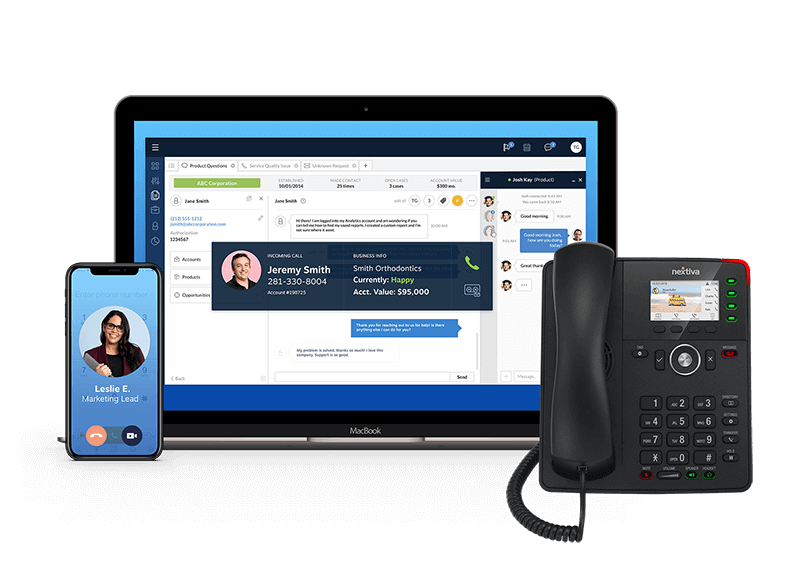
Top 10 Best VoIP Phone Services for Business
The top VoIP Phone Systems Unveiled!
 VoIP, or Voice over Internet Protocol, represents the cutting-edge telephony technology of our era. It harnesses the power of the internet to facilitate voice communication. In 2023, VoIP has emerged as the preferred choice for small businesses seeking an alternative to traditional landline phone systems. Let’s delve deeper into what VoIP is and why it’s making waves in the business world.
Contrasting VoIP and Landline Systems
In the realm of small business telephony, two primary contenders exist: traditional landline systems and VoIP.
Traditional landline systems rely on analog technology, typically involving copper wires or optical fiber connections. These systems are tethered to specific locations, limiting their use to office spaces and homes. Taking your landline headset out onto the street for a call is simply not an option.
VoIP phone systems, in stark contrast, utilize the internet as their conduit for making and receiving calls. This means that as long as you have an internet connection, you can use a VoIP phone anywhere, providing unparalleled flexibility.
Digging deeper, there are two variants of VoIP solutions: on-premise and cloud-based.
On-premise VoIP services necessitate expensive on-site servers, demanding substantial investments typically within the reach of larger corporations.
In contrast, cloud-based VoIP providers offer a more accessible solution. These systems are location-independent and are well-suited for smaller, distributed teams. They require no hefty upfront investments in hardware or maintenance.
The Advantages of a Cloud Phone System
A cloud-based phone system can transform your business phone into a versatile marketing and service channel. Here are some compelling reasons why businesses are increasingly turning to cloud phone solutions:
- Cost-effectiveness: Switching to a cloud phone system can yield substantial savings of approximately 30-50% on telecommunications expenses. These systems don’t necessitate the setup of costly servers or the installation of telephone wires. Moreover, they offer compatibility with devices you already own, such as computers, tablets, and mobile devices.
- Scalability: Cloud phone systems are inherently scalable. Pricing is typically per user, allowing you to add users as your business grows, ensuring that your phone system can grow alongside your team.
- Flexibility: With cloud-based systems, you can access your phone services from a variety of devices, including computers, tablets, and mobile devices. This flexibility facilitates remote and hybrid work arrangements, freeing you from the constraints of a fixed physical location.
- Hands-off Solution: Unlike on-premise VoIP systems, where maintaining servers can be a significant headache and expense, cloud-based phone systems are hosted externally. This means that your service provider takes care of any technical issues, leaving you to utilize it as a hassle-free Software as a Service (SaaS).
- Up-to-date Features: Cloud-based solutions are nimble in terms of adding new features and functionalities. Updates occur seamlessly, akin to regular software updates, without causing downtime for your operations.
Selecting the Optimal SMB VoIP Provider
While most VoIP providers offer an array of both basic and advanced features, there are certain critical functionalities that are essential for effective communication. Before choosing your SMB VoIP phone service, ensure that you have access to these fundamental features.
Essential Features of a Small Business VoIP System
- Free Local Phone Number: Your provider should offer at least one free local phone number as part of the package.
- Multiple Phone Numbers: Small businesses often require multiple virtual phone numbers to connect with customers globally.
- iOS and Android Apps: Mobile apps for iOS and Android platforms allow you to carry your small business VoIP system with you wherever you go.
- Support for Multiple Languages: A professional small business VoIP service should offer support for multiple languages in settings and welcome messages to cater to diverse customer bases.
- Welcome and Voicemail Messages: Look for VoIP services that allow you to record custom greetings and voicemail messages for your callers.
- Voicemail Transcripts: For added convenience, opt for a service that provides voicemail transcriptions, making it easier to retrieve crucial information.
- Text Messaging: Ensure that your VoIP system supports cross-channel communication through SMS text messaging.
- Office Hours Functionality: This feature allows you to set specific business hours, ensuring that calls received outside of these hours are seamlessly transferred to voicemail.
- Call Forwarding: Simplify your phone communication by easily forwarding calls to other team members.
- Call Recording: Stay organized and enhance call monitoring and training with call recording capabilities.
A few of the Top VoIP services for small businesses
- Nextiva
- Fusion Connect
- Dialpad
- RingCentral
- 8×8
- Google Voice
- Airspring
- Grasshopper
- Zoom
- Talkdesk
In conclusion, VoIP phone systems have ushered in a new era of telephony, offering small businesses cost-effectiveness, flexibility, and scalability. When selecting a VoIP provider, be sure to consider the essential features that align with your business needs, ensuring that your communication infrastructure is optimized for success in today’s dynamic business landscape. 1 Call Telecom, is an authorized partner for over 100 leading VoIP Service providers and we can help you make the best decision for your business. Get a quote
Moving Your Business to the Cloud: A Comprehensive Guide
Are you tired of the limitations of on-premise computing? Is your business stuck with expensive hardware, limited storage capacity, and outdated software? It’s time to consider moving your business to the cloud.
In this post, we’ll explain the benefits of cloud computing, the steps involved in migration, and some best practices for a successful transition. Whether you’re a small business owner or an IT professional, this guide will provide you with the information you need to make an informed decision.
Benefits of Moving Your Business to the Cloud
Moving your business to the cloud has numerous benefits, including:
Cost Savings
One of the biggest advantages of cloud computing is the cost savings. By moving your business to the cloud, you’ll eliminate the need for expensive hardware, software licenses, and IT personnel. Instead, you’ll pay a monthly subscription fee that includes all of these costs.
Scalability
Cloud computing also provides scalability. As your business grows, you can easily increase your storage capacity, computing power, and other resources without having to invest in new hardware.
Accessibility
With cloud computing, your data is accessible from anywhere, at any time, on any device. This allows your employees to work remotely, which can increase productivity and reduce overhead costs.
Security
Cloud providers offer advanced security features, including encryption, firewalls, and intrusion detection. This ensures that your data is protected against unauthorized access, theft, and cyber-attacks.
Steps Involved in Moving Your Business to the Cloud
Moving your business to the cloud involves several steps, including:
Assess Your Needs
The first step in moving your business to the cloud is to assess your needs. This includes identifying which applications and data you want to migrate, and which cloud provider is best suited to meet your needs.
Choose a Cloud Provider
Once you’ve assessed your needs, the next step is to choose a cloud provider. Some popular options include Amazon Web Services (AWS), Microsoft Azure, and Google Cloud Platform (GCP). Each provider has its own strengths and weaknesses, so it’s important to do your research and choose the one that best meets your needs.
Plan Your Migration
Before you migrate your data to the cloud, you’ll need to create a migration plan. This should include a timeline, a list of tasks, and a plan for testing and validating your migration.
Migrate Your Data
Once you have a migration plan in place, it’s time to migrate your data. This can be a complex process, especially if you have a large amount of data to move. You may need to use specialized tools and services to ensure a smooth migration.
Test and Validate
After you’ve migrated your data to the cloud, it’s important to test and validate your setup. This includes testing your applications, ensuring that your data is accessible, and verifying that your security settings are in place.
Train Your Employees
Finally, it’s important to train your employees on how to use the new cloud-based applications and services. This will help ensure a smooth transition and minimize downtime.
Best Practices for Moving Your Business to the Cloud
To ensure a successful transition to the cloud, it’s important to follow some best practices, including:
Start Small
When migrating to the cloud, it’s best to start small. Choose one application or data set to migrate first, and test it thoroughly before migrating additional data.
Use Automation
Automate as much of the migration process as possible. This will help reduce the risk of errors and ensure a smooth transition.
Backup Your Data
Before migrating your data to the cloud, it’s important to back it up. This ensures that you have a copy
Monitor Your System
Once you’ve migrated to the cloud, it’s important to monitor your system for performance and security issues. This includes setting up alerts and notifications, and regularly reviewing your logs.
Follow Security Best Practices
Cloud computing providers offer advanced security features, but it’s still important to follow security best practices. This includes using strong passwords, encrypting sensitive data, and limiting access to your system.
Stay Up-to-Date
Cloud computing is constantly evolving, so it’s important to stay up-to-date on the latest trends and technologies. This will help you take advantage of new features and avoid potential security issues.
Moving Your Business to the Cloud: FAQs
Here are some common questions about moving your business to the cloud:
1. Is cloud computing more secure than on-premise computing?
Yes, cloud computing can be more secure than on-premise computing. Cloud providers offer advanced security features, including encryption, firewalls, and intrusion detection, that can be difficult and expensive to implement on-premise.
2. Can I migrate all of my data to the cloud?
Yes, in most cases, you can migrate all of your data to the cloud. However, some applications or data sets may not be suitable for the cloud due to performance or security requirements.
3. How long does it take to migrate to the cloud?
The time it takes to migrate to the cloud depends on the size and complexity of your data. A simple migration may only take a few days, while a more complex migration could take several months.
4. Do I need to train my employees on how to use cloud-based applications?
Yes, it’s important to train your employees on how to use the new cloud-based applications and services. This will help ensure a smooth transition and minimize downtime.
5. How do I choose the right cloud provider for my business?
Choosing the right cloud provider depends on your specific needs and requirements. Consider factors such as cost, scalability, accessibility, and security when evaluating potential providers.
6. How do I ensure that my data is secure in the cloud?
To ensure that your data is secure in the cloud, follow security best practices, such as using strong passwords, encrypting sensitive data, and limiting access to your system. Additionally, choose a cloud provider that offers advanced security features and regularly monitor your system for potential security issues.
Conclusion
Moving your business to the cloud can provide numerous benefits, including cost savings, scalability, accessibility, and security. However, it’s important to carefully assess your needs, choose the right cloud provider, and follow best practices to ensure a successful transition. By following the steps outlined in this guide, you can confidently move your business to the cloud and take advantage of all that cloud computing has to offer.
Moving Your Business to the Cloud
Are you ready to move your business to the cloud? Whether you’re a small business owner or an IT professional, this post provides you with the information you need to make an informed decision. From assessing your needs to training your employees, we’ve got you covered. So why wait? Start your journey to the cloud today. Reach out to the Team at 1 Call Telecom
POTS Replacement Lines
Plain old telephone lines (POTS) have been used for decades as a reliable means of communication for elevator emergency phones and elevator lines. However, with the advent of digital technology, POTS lines are becoming obsolete, and there is a need to find a suitable replacement to not lose service.
The replacement of POTS lines for elevator lines has become necessary due to several factors. One of the most significant factors is the declining availability of POTS lines. As telecom providers upgrade their networks to digital technology, they are phasing out analog POTS lines.
Another factor is the limitations of POTS lines in terms of bandwidth and data transfer speed. Elevator lines require high-quality communication for emergency and maintenance purposes. POTS lines may not provide the necessary bandwidth and speed required for modern elevator systems.
A suitable replacement for POTS lines is Voice over Internet Protocol (VoIP) technology. VoIP is a digital technology that allows voice communication over the internet. It is a cost-effective alternative to POTS lines, with lower subscription fees and no long-distance charges.
VoIP technology also offers advanced features such as call forwarding, caller ID, and voicemail, which can enhance the functionality of elevator emergency phones and maintenance lines.
However, there are also some potential drawbacks to using VoIP technology for elevator lines. One significant concern is the reliability of the internet connection. VoIP technology is dependent on an internet connection, and any disruption to the connection could affect the quality of communication.
Additionally, VoIP technology is susceptible to security threats, such as hacking and malware attacks. Elevator lines are critical communication systems that require high levels of security to protect against unauthorized access and cyber-attacks.
To mitigate these risks, it is essential to implement robust security measures, such as firewalls, encryption, and access controls, to ensure the security and integrity of elevator lines.
With, POTS lines becoming obsolete, the need to find a suitable replacement for elevator lines. VoIP technology offers a cost-effective alternative with advanced features, but it is also susceptible to security threats and reliability issues.
Therefore, it is crucial to implement robust security measures and ensure a reliable internet connection to maintain the safety and functionality of elevator lines. 1 Call Telecom, powered by Fusion Connect has a cost effective solution for you!

Give us a call to learn more about transition off of POTS now !

1 CALL TELECOM SOURCES THE BEST VOICE, DATA AND CLOUD COMPANIES FOR BUSINESS AND GOVERNMENT CUSTOMERS AND TROUBLESHOOTS, TOO



Zoom is for you and available from 1 Call Telecom
Zoom is for you, and now available from 1 Call Telecom!
At 1 Call Telecom, we’re here to help our clients connect, communicate, and express your ideas so you can get more done together. We’re are proud to represent Zoom the brand trusted by millions of enterprises, small businesses, and individuals, just like you.
Build stronger relationships, supercharge collaboration, and create an engaging meeting experience with HD video and audio for up to 1,000 participants.
Power your voice communications with our global cloud phone solution with secure call routing, call queues, SMS, elevate calls to meetings, and much more.
Included with your account, our chat solution simplifies workflows, boosts productivity, and ensures employees can collaborate securely, both internally and externally.
Adapt your conference rooms to changing workforce needs while balancing office and remote experiences with HD video and audio, wireless content sharing, and interactive whiteboarding.
Zoom offers Video Webinars and our newest product Zoom Events to accommodate all of your virtual event needs. Create virtual experiences that attendees will love. Get started today with Zoom Events and Video Webinars.
Enhance and streamline your Zoom experience with 1,000+ apps and integrations for scheduling, collaboration, education, transcription, CRM, and more.
Hosted online experiences that are easily monetized and scalable to new audiences.
